Pick the Right Templates for Your Organization.
Our platform hosts a large library of templates to accommodate as many demographics as possible. While we always recommend using an easy (level 1) template for baseline campaigns, we also recommend selecting a different emotion each month.
Smart Campaign Template Matching
When using Smart Campaigns, you can match users to the selected templates based on Level Training, Emotional Training, or Random. It is recommended that you match by Emotional Training with a minimum of three in the Templates to use. As time passes and campaigns are launched, your users will have a more diverse profile and will have more suitable templates assigned to them. 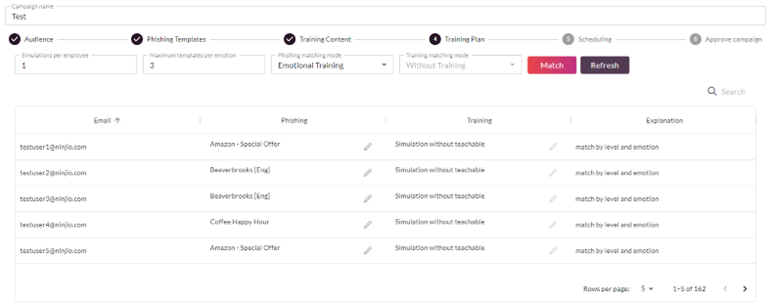
Assign Every Simulation to a Campaign
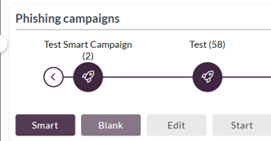
If you decide to launch a single simulation, please assign the simulation to an existing campaign. We generally recommend having at least one campaign for each month you launch. If you do not have one already, Click the Blank button within Campaigns,
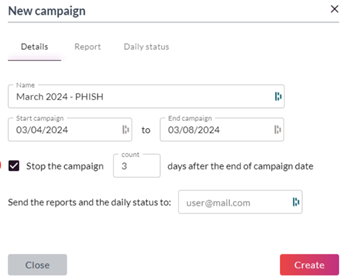
Name your campaign based on the month and year you are launching. Check off “Stop campaign 3 days after the end of the campaign date”.
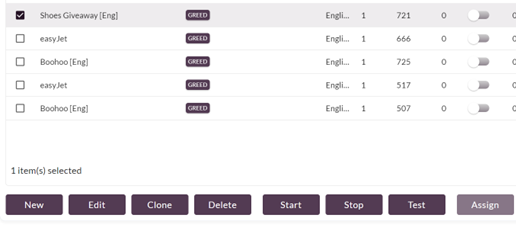
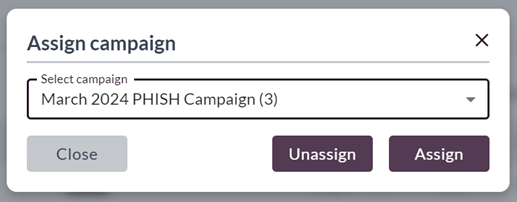
Then select a simulation, click “Assign”, then select your new campaign.
Launch a Test Before Launching to Everyone!
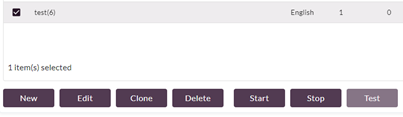
After you create a campaign/simulation, we encourage our clients to send a test campaign to themselves for testing prior to launching to the whole organization. Make sure that the email lands in your inbox and that you can click the links to access the web page without any issues.
PHISH3D Campaign Scheduling and Distribution.
When creating a simulation, we encourage clients to keep the start date and end date relatively distant from each other, most campaigns run for at least a week. We also encourage clients not to launch during the first week of the month to prevent bottlenecking. The beginning of the month is when we see the largest email volumes

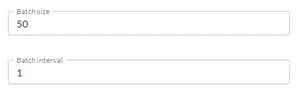
If you want all the emails to be sent to users quickly, make the batch size larger/batch interval smaller. We generally recommend a slower distribution (no more than 50) for the batch size for a more subtle campaign approach.
PHISH3D Cadence.
We encourage clients to run simulations sporadically to make them less predictable for the end users. Clients are recommended to launch campaigns no more often than once a month and no less than once a quarter.
Following Up With Phish Simulations.
The latest insights from Gartner suggest that security awareness is tied to user engagement. This means that if users feel bad for failing a test, overall security awareness will decline. Because of this, we encourage a non-direct approach to telling the user about the results of your test. One method is screenshotting the campaign status and distributing it as a PSA to the users. You can say something along the lines of “Attention users, according to our statistics, ~15% of users are clicking on malicious links. We highly encourage taking our security awareness training seriously”. 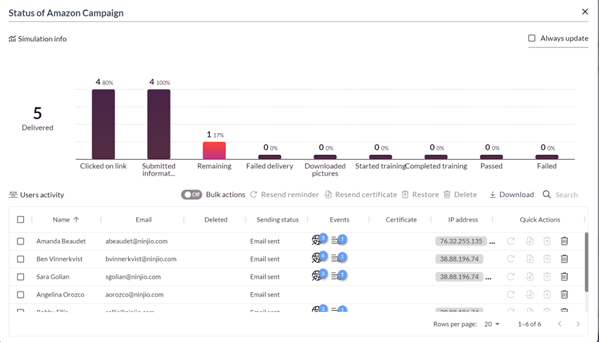
If you have any outstanding questions, please email support@ninjio.com.
Comments
0 comments
Please sign in to leave a comment.